
Disclosure: This post contains an affiliate link. If you sign up through it, we may earn a commission at no extra cost to you.
VPNs all claim to be fast, secure, and worth your money — but the reality varies enormously once you actually test them. Surfshark has built a reputation as one of the best-value VPNs on the market, largely thanks to one standout feature competitors rarely match: unlimited simultaneous device connections on every single plan, even the cheapest one.
In this review, we’ll break down exactly what Surfshark offers in 2026 — pricing, security features, its independently audited no-logs policy, real-world speed and streaming performance, and how it stacks up against competitors like NordVPN and ExpressVPN. We’ll cover the genuine strengths and the real limitations, so you can decide whether it’s the right fit for your specific needs before signing up.
Want to try these features yourself? Get Surfshark’s full security suite here and see the speeds for yourself.
Looking for the best affiliate programs to maximize your earnings? Explore our top picks for beginners and experienced marketers alike. https://ezmakaffiliates.com/best-affiliate-marketing-programs-to-join/
What Is Surfshark?
Surfshark is a VPN (Virtual Private Network) provider that encrypts your internet traffic and routes it through a secure server, hiding your real IP address and protecting your data from being visible to your internet provider, network snoopers, or the websites you visit.
The company is headquartered in the Netherlands, a jurisdiction with no mandatory data retention laws — a detail that matters for a VPN’s ability to genuinely honor its no-logs claims, since it isn’t legally compelled to store user activity data. Surfshark was founded by Vytautas Kaziukonis, with Dovydas Godelis currently serving as CEO. In 2022, Surfshark merged with Nord Security, the parent company behind NordVPN, though the two brands continue to operate as separate, independent products rather than a combined service.
Surfshark operates a network of more than 4,500 RAM-only servers across roughly 100 locations worldwide, with RAM-only infrastructure meaning no data is ever written to a hard disk — every server wipes itself completely on every reboot, which reinforces the no-logs approach at an infrastructure level rather than relying purely on policy.

Pricing & Plans
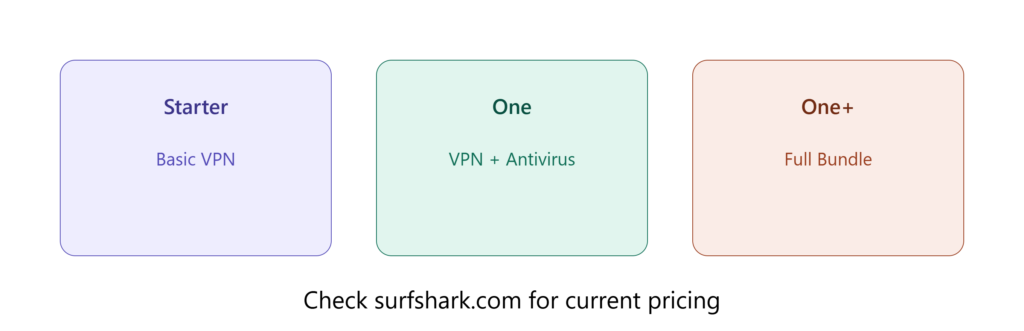
Surfshark offers three plan tiers across three subscription lengths, with pricing ranging from roughly $2.49 to $21.85 per month depending on the plan and commitment length you choose. Long-term plans bring the effective monthly cost down significantly, with some current promotional pricing landing as low as $1.99 per month on extended terms.
It’s worth being upfront about one detail several independent reviewers flag consistently: Surfshark’s lower advertised prices are introductory, and every plan renews at its full, higher price once the initial term ends. This isn’t unique to Surfshark — most VPN providers follow a similar model — but it’s worth budgeting for rather than being caught off guard at renewal time.
Higher-tier plans bundle in additional products under the “Surfshark One” umbrella, including antivirus protection, a private search engine, and data breach alert monitoring — though these extras aren’t included in the entry-level Starter plan, so it’s worth checking exactly what’s included before assuming you’re getting the full suite at the lowest price point.
Every plan is backed by a 30-day money-back guarantee, giving you a genuine window to test the service risk-free before committing long-term.
Surfshark has also begun rolling out post-quantum encryption support in early 2026 — an emerging security standard designed to protect data against the theoretical future threat of quantum computers breaking today’s conventional encryption methods. While this isn’t an immediate practical concern for most everyday users, it signals the company is investing in forward-looking security infrastructure rather than resting on its current standards.
Ready to try Surfshark? Get Surfshark VPN here and take advantage of the 30-day money-back guarantee to test it risk-free.
Torrenting and P2P File Sharing
For users specifically interested in torrenting or P2P file sharing, Surfshark’s server infrastructure is P2P friendly across its entire network, rather than restricting torrenting to a limited subset of designated servers the way some competitors do. This means you don’t need to hunt for a specific “torrenting-approved” server before connecting — any server in the network supports P2P traffic.
Because Surfshark is based in the Netherlands rather than the United States, it isn’t directly subject to US DMCA takedown procedures, which can offer an additional layer of practical protection against copyright-related legal notices reaching you through the VPN provider. Combined with the Kill Switch feature — which cuts your connection entirely if the VPN drops, preventing your real IP from being briefly exposed mid-download — this makes Surfshark a reasonably solid option specifically for torrent users, alongside its broader general-purpose security features.
As with any VPN, it’s worth remembering that using Surfshark for illegal activity remains against the company’s terms of service regardless of jurisdiction, and the practical protections described here apply to legitimate, lawful P2P use rather than serving as a shield for illegal file sharing.
Security & Privacy Features
Surfshark’s core security relies on AES-256-GCM and ChaCha20 encryption — both widely regarded as industry-leading standards, with AES-256-GCM commonly used in government and enterprise systems, and ChaCha20 optimized for stronger performance on lower-powered devices like older phones. Perfect Forward Secrecy generates a unique encryption key for every session, meaning that even if one session’s data were somehow intercepted, past and future sessions would remain unaffected.
Beyond core encryption, Surfshark includes a genuinely deep feature set:
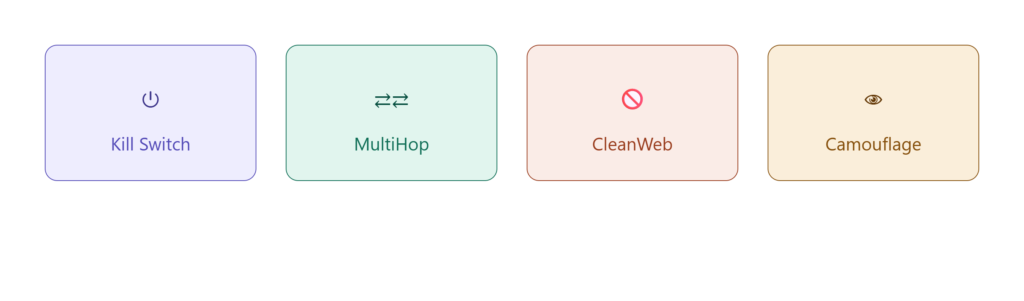
- Kill Switch — cuts your internet connection entirely if the VPN drops, preventing any unprotected data from leaking out during the brief window before a connection might otherwise reconnect on its own.
- MultiHop (Double VPN) — routes traffic through two separate VPN servers for an extra layer of encryption and anonymity, letting you manually choose both entry and exit points for added control.
- Camouflage Mode (obfuscated servers) — disguises the fact that you’re using a VPN at all, useful in networks or regions that restrict or throttle VPN traffic specifically.
- Bypasser (split tunneling) — lets you choose which specific apps or sites go through the VPN and which don’t, useful for accessing local network devices or banking apps that sometimes block VPN traffic.
- CleanWeb — blocks ads, trackers, and malicious sites at the network level, reducing both annoyance and a meaningful category of security risk from malicious ad networks.
- Everlink — a self-healing connection feature that automatically restores a dropped VPN tunnel to minimize the window of exposure, addressing a common weak point in many VPN services.
- Rotating IP — periodically changes your IP address without dropping your connection, adding another layer of difficulty for anyone attempting to track you across a browsing session.
- NoBorders — automatically detects network-level VPN restrictions and surfaces a list of servers most likely to work under those specific conditions, removing guesswork for users on restricted networks.
- GPS override (Android) — adjusts your device’s reported GPS location to match your connected VPN server location, useful for location-sensitive apps beyond just browser-based IP masking.
This is a notably deep feature set for the price point, going well beyond the bare-minimum encryption-and-server-list approach some budget VPNs offer.
No-Logs Policy & Independent Audits
A VPN’s no-logs claim is only as trustworthy as the evidence behind it, and this is an area where Surfshark has built a genuinely meaningful track record. The company’s no-logs policy has been independently audited by Deloitte on two separate occasions — first in December 2022, and again in a follow-up assurance report completed in June 2025 — with both audits confirming that Surfshark does not log browsing history, traffic content, or DNS queries.
One nuance worth understanding rather than glossing over: the 2025 Deloitte audit also confirmed that Surfshark temporarily retains a user’s session IP address for up to 15 minutes after disconnecting, specifically to detect and prevent abuse of its shared server network, such as spam or attack traffic. This is a narrow, specifically disclosed exception rather than a contradiction of the broader no-logs claim, but it’s worth knowing rather than assuming “no logs” means absolutely zero data retention under any circumstance.
Surfshark also maintains a warrant canary and publishes quarterly transparency reports, adding further layers of accountability beyond the audits themselves.

Speed & Streaming Performance
Speed is often where VPNs disappoint, since routing traffic through an encrypted tunnel inherently adds some overhead — but Surfshark performs strongly here. Using the WireGuard protocol, independent testing shows Surfshark retaining roughly 90-95% of base connection speed, with some third-party speed tests ranking it among the fastest VPNs currently available, including recorded download speed boosts of around 15% on certain US server tests.
One consistent limitation flagged across multiple independent reviews: upload speeds tend to underperform relative to download speeds, which is worth knowing if your use case depends heavily on uploading large files or hosting video calls rather than primarily downloading or streaming.
For streaming specifically, Surfshark reliably unblocks major platforms including Netflix libraries in the US, UK, Canada, and Australia, along with 16 or more Netflix libraries total across other regions, without buffering or errors in recent testing — despite not maintaining dedicated streaming-optimized servers the way some competitors do.

Device Compatibility & Unlimited Connections
This is arguably Surfshark’s single most distinctive feature: every plan, including the cheapest Starter tier, supports an unlimited number of simultaneous device connections. Most competing VPN providers cap connections somewhere between 5 and 10 devices, then charge extra for additional slots — a limitation that adds up quickly for a household with multiple phones, laptops, tablets, and streaming devices all needing protection at once.
Surfshark supports apps across Windows, macOS, Linux, Android, iOS, and browser extensions for Chrome, Firefox, and Edge, along with dedicated support for streaming devices like Amazon Fire TV and Apple TV. For a multi-device household or anyone managing several personal and work devices simultaneously, this unlimited-connections policy alone can make Surfshark meaningfully cheaper in practice than a nominally “budget” competitor once you actually account for covering every device you own.
Want to choose a profitable niche? Read our complete guide before you start building your affiliate website. https://ezmakaffiliates.com/how-to-choose-a-profitable-affiliate-marketing-niche/
Ease of Use and App Interface
Beyond raw features, how a VPN actually feels to use day-to-day matters enormously for whether people stick with it consistently. Surfshark’s apps across desktop and mobile platforms are built around a straightforward, uncluttered interface — a prominent quick-connect button for instantly connecting to the fastest available server, alongside a searchable server list for users who want to manually select a specific country or city.
The Auto-connect feature automatically establishes a VPN connection the moment your device joins the internet, which is particularly useful for users who want “set and forget” protection without needing to remember to manually connect every time. For more advanced users, features like split tunneling (Bypasser) and MultiHop are accessible through clearly labeled settings menus rather than being buried in confusing submenus, striking a reasonable balance between beginner accessibility and power-user configurability.
Browser extensions for Chrome, Firefox, and Edge extend this same straightforward experience to lightweight, browser-only protection, useful for users who don’t need a full system-wide VPN connection for every task.
Customer Support
Surfshark offers 24/7 live chat support, alongside a ticketing system, email support, and an extensive searchable knowledge base covering setup guides and troubleshooting for every supported platform. Independent reviewers have specifically praised the depth and organization of Surfshark’s help center, noting its library of detailed explainer articles compares favorably against much of the competition.
For most common issues — connection troubleshooting, billing questions, or platform-specific setup — the self-serve knowledge base tends to resolve things quickly without needing to wait for a support agent, while the 24/7 live chat option provides a reliable fallback for anything more complex or account-specific.
What Real Users and Independent Experts Say
Beyond Surfshark’s own marketing claims, it’s worth considering how independent reviewers and everyday users describe their actual experience. Tech publications have specifically highlighted Surfshark’s well-organized support documentation and its growing, meaningful history of independent audits as differentiators compared to lower-tier competitors that make similar claims without third-party verification behind them.
User feedback across social platforms and community forums tends to echo similar themes: long-term reliability, consistent performance across years of use without major issues, and strong overall value relative to price — with several users specifically noting they’ve used the service for multiple consecutive years without problems, and that its combination of VPN, antivirus, and additional privacy tools under one subscription provides meaningful value compared to purchasing separate standalone products.
This kind of consistent, independently sourced feedback — from both professional reviewers and everyday long-term users — adds a layer of credibility beyond what any single review, including this one, can offer on its own.
Awards and Industry Recognition
Surfshark has picked up meaningful recognition from established, independent publications and organizations, which is worth factoring in alongside the hands-on testing covered throughout this review. This includes a PCMag “Best of 2026” award, CNET’s Editors’ Choice recognition for 2026, and inclusion in the Financial Times’ FT 1000 list of Europe’s fastest-growing companies for three consecutive years running.
The company has also earned membership in the Forbes Technology Council and holds VPN Trust Initiative certification, a credential specifically focused on responsible security and privacy practices within the VPN industry. While awards alone shouldn’t be the sole basis for a purchasing decision, this level of sustained recognition across multiple independent, reputable organizations reinforces the broader pattern of legitimacy this review has covered throughout — audited no-logs claims, consistent performance, and genuine industry standing rather than marketing claims alone.
Setup and Installation Process
Getting started with Surfshark follows a straightforward process regardless of which platform you’re using. After signing up and choosing a plan, you download the appropriate app for your device — available for Windows, macOS, Linux, Android, iOS, and as browser extensions for Chrome, Firefox, and Edge — and log in with your account credentials.
From there, most users can be fully protected within a couple of minutes: the app opens to a simple map or list-based server selector, with a prominent quick-connect button for those who just want the fastest available connection without manually choosing a location. Enabling Auto-connect during initial setup means the VPN activates automatically every time your device connects to the internet going forward, removing the need to remember to manually reconnect each session.
For users managing multiple devices — which, given Surfshark’s unlimited connections policy, is a common scenario — the same account credentials work across every device without needing separate licenses or additional purchases, simplifying setup across an entire household or a mix of personal and work devices.
Looking for discounted business-class flights and luxury travel deals? Read our in-depth AranGrant review to discover its features, pricing, pros, cons, and whether it’s worth using in 2026. https://ezmakaffiliates.com/arangrant-review-2026/
Pros
- Unlimited simultaneous device connections on every plan, a genuine standout compared to competitors’ 5-10 device caps.
- Strong, independently audited no-logs policy, backed by two separate Deloitte assurance reports.
- Deep security feature set including MultiHop, Camouflage Mode, Kill Switch, and CleanWeb, going beyond basic encryption alone.
- Strong speed performance with WireGuard, retaining 90-95% of base connection speed in independent tests.
- Reliable streaming access across major Netflix libraries and other platforms without buffering issues.
- Affordable long-term pricing, with promotional rates among the lowest in the reputable VPN category.
- 30-day money-back guarantee allowing genuine risk-free testing before committing.
- Netherlands jurisdiction with no mandatory data retention laws, supporting the credibility of its no-logs approach.
- Post-quantum encryption support, showing forward investment in emerging security standards beyond current industry norms.
- P2P-friendly across the entire server network, without restricting torrenting to a limited subset of servers.
- Well-organized 24/7 support, including live chat and a genuinely detailed self-serve knowledge base.

Cons
- Renewal pricing jumps significantly after the introductory period ends, a detail worth budgeting for in advance.
- Netherlands is part of the “9 Eyes” intelligence-sharing alliance, a legitimate consideration for users with especially high-risk privacy needs, even though the no-data-retention law itself remains a genuine protection.
- Upload speeds underperform relative to download speeds in independent testing.
- Smaller server network than some competitors, notably NordVPN, which also tends to edge out Surfshark on raw speed benchmarks in certain tests.
- Dedicated IP pricing is less competitive compared to some alternatives if a static, personal IP address is a priority for your use case.
- Antivirus and breach monitoring aren’t included in the cheapest Starter plan, requiring an upgrade to access the full Surfshark One bundle.
- CleanWeb lacks a visible blocking counter, meaning you can’t easily see a running tally of exactly how many ads or trackers it has blocked, a small transparency feature some competitors include.
- Merger with Nord Security raises independence questions for some users, even though the two brands maintain separate operations, teams, and infrastructure in practice.

Ready to lock in Surfshark’s current pricing? Check live plans and pricing here before rates change.
Surfshark vs. NordVPN vs. ExpressVPN
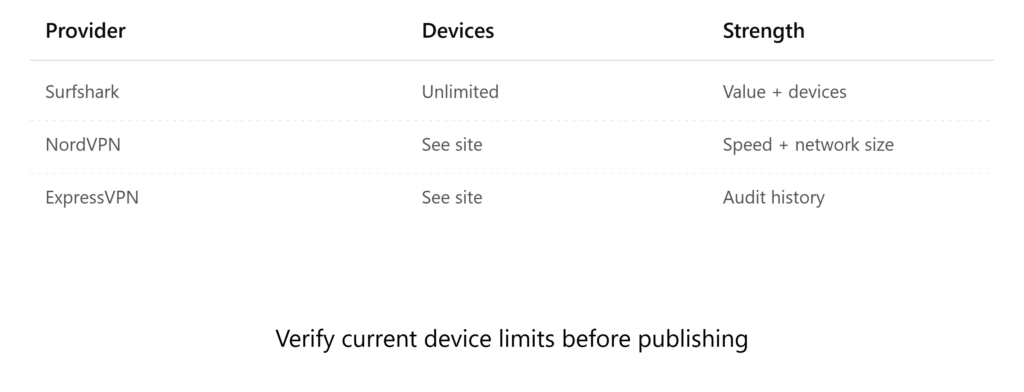
Surfshark vs. NordVPN: Both are owned under the same parent holding company but operate independently, with separate apps, infrastructure, and support teams. NordVPN generally edges out Surfshark on raw speed benchmarks and maintains a larger server network, and is often considered more reliable for users who need consistent access in more heavily restricted regions like China. Surfshark counters with its unlimited device connections (versus NordVPN’s device cap) and typically more affordable long-term pricing, making it the stronger pick for larger households or anyone prioritizing value over the absolute fastest possible speeds.
Surfshark vs. ExpressVPN: ExpressVPN has built a longer, more extensive independent audit history over time, which may matter to users prioritizing the deepest possible track record of third-party verification. Surfshark offers a notably lower price point and unlimited device connections, where ExpressVPN caps simultaneous connections and generally costs meaningfully more per month. For users specifically weighing audit history depth above all else, ExpressVPN holds an edge; for users prioritizing value and device flexibility, Surfshark remains the stronger overall choice.
Surfshark vs. Proton VPN: Proton VPN has built a strong reputation specifically around privacy-first positioning, given its origins tied to the encrypted email provider Proton Mail. Surfshark generally delivers faster speeds in comparative testing and, again, offers unlimited device connections against Proton’s more limited device cap, giving Surfshark the edge for users who want strong privacy credentials without sacrificing everyday performance or multi-device flexibility.
In short: Surfshark’s core advantages — unlimited devices and strong value pricing — hold up well against all three major competitors, while NordVPN, ExpressVPN, and Proton VPN each hold specific edges in raw speed, audit history depth, or privacy-first brand positioning, depending on which single factor matters most for your specific use case.
Who Is Surfshark Best For?
Given everything covered in this review, Surfshark is a particularly strong fit for:
- Multi-device households who want to cover phones, laptops, tablets, and streaming devices without paying extra per device.
- Budget-conscious users who still want a genuinely well-audited, feature-rich VPN rather than a stripped-down bargain option.
- Streaming enthusiasts who want reliable access to multiple regional Netflix libraries and other platforms.
- Privacy-conscious users with moderate risk profiles, who value a genuinely audited no-logs policy but aren’t specifically operating in extremely high-risk situations where jurisdiction alliances like the 9 Eyes network are a critical dealbreaker.
- Torrent and P2P users looking for a network-wide P2P-friendly policy without needing to hunt for specific approved servers.
- First-time VPN users who want an approachable interface backed by genuinely deep features to grow into as their comfort level increases.
It’s a comparatively weaker fit for users whose absolute top priority is the single fastest possible raw speed or the largest server network available, where NordVPN holds a measurable edge, for extremely high-risk privacy use cases where a non-9-Eyes jurisdiction is a hard requirement, or for users who specifically need the longest possible independent audit track record above every other consideration, where ExpressVPN’s longer history may weigh more heavily.
Frequently Asked Questions (FAQ)
1. Is Surfshark a legitimate, trustworthy VPN?
Yes. Its no-logs policy has been independently audited by Deloitte on two separate occasions, and it maintains a documented transparency report and warrant canary system, providing genuine third-party verification beyond the company’s own claims.
2. Does Surfshark really support unlimited devices?
Yes, every plan tier — including the cheapest Starter plan — supports an unlimited number of simultaneous device connections, a genuine differentiator compared to most competitors’ 5-10 device caps.
3. Is Surfshark fast enough for streaming and gaming?
Yes, independent testing shows it retaining 90-95% of base speed using the WireGuard protocol, and it reliably unblocks major streaming platforms, though upload speeds specifically underperform relative to downloads.
4. Why does Surfshark’s price increase after the first term?
Like most VPN providers, Surfshark offers discounted introductory pricing on long-term plans, which renews at the full, standard rate once that initial term ends — a detail worth factoring into your budgeting from the start.
5. Is the Netherlands a safe jurisdiction for a VPN?
Generally yes, since it has no mandatory data retention laws, though it is part of the “9 Eyes” intelligence-sharing alliance, which is worth weighing specifically if you have an especially high-risk privacy need.
6. Does Surfshark work for torrenting?
Yes, Surfshark’s servers are P2P friendly, and because the company is based outside US jurisdiction, it isn’t subject to US DMCA takedown requirements in the same way some other providers are.
7. What’s included in the Surfshark One bundle?
Surfshark One combines the core VPN with antivirus protection, a private search engine, and data breach alert monitoring, though this full bundle isn’t included automatically in the base Starter plan.
8. How does Surfshark compare on price to competitors?
Surfshark’s long-term plans are among the most affordable in the reputable VPN category, often landing near $2 per month on extended terms, undercutting many competitors once you also factor in its unlimited device policy.
9. Is Surfshark good for beginners who have never used a VPN before?
Yes — its straightforward app interface, one-click quick-connect option, and Auto-connect feature make it approachable for first-time users, while more advanced features like MultiHop and split tunneling remain available for users who want deeper control as they grow more comfortable with the service.
10. Does Surfshark work in restrictive countries with heavy internet censorship?
Its Camouflage Mode (obfuscated servers) and NoBorders feature are specifically designed to work around network restrictions, though independent reviewers note NordVPN is generally considered more consistently reliable for frequent travel to the most heavily restricted regions, such as China.
Ready to try Surfshark? Get Surfshark VPN here and take advantage of the 30-day money-back guarantee to test it risk-free.
Key Takeaways Before You Decide
- Surfshark’s independently audited no-logs policy, verified by Deloitte on two separate occasions, provides genuine third-party evidence behind its privacy claims rather than relying on marketing language alone.
- Unlimited simultaneous device connections on every plan is a genuine, practical differentiator for multi-device households, often making Surfshark cheaper in real terms than nominally “budget” competitors once every device is counted.
- Speed and streaming performance hold up well in independent testing, though upload speeds specifically lag behind downloads, and NordVPN retains a measurable edge in raw speed benchmarks.
- Pricing is genuinely competitive on long-term plans, but the post-introductory renewal price jump is real and worth budgeting for rather than being surprised by later.
- The Netherlands jurisdiction offers strong no-data-retention legal protection, balanced against its inclusion in the 9 Eyes intelligence-sharing alliance — a detail worth weighing specifically if you have an unusually high-risk privacy need.
Final Verdict
Surfshark earns its reputation as one of the strongest value picks in the VPN category for 2026. It backs up its no-logs claims with genuine, repeated third-party audits, delivers a deep security feature set well beyond basic encryption, performs strongly on independent speed tests, and offers unlimited device connections that meaningfully change the value equation for multi-device households.
It isn’t the single fastest VPN available, nor does it have the largest server network or the longest audit history in the industry — NordVPN and ExpressVPN each hold specific edges in those areas. But for users prioritizing strong, well-verified privacy protection, a genuinely deep feature set, and real affordability, especially across multiple devices, Surfshark remains a well-earned recommendation. As with any VPN purchase, weigh the specific trade-offs covered throughout this review against your own priorities — raw speed, audit history depth, jurisdiction, or overall value — rather than assuming any single provider is the universal best choice for every use case.
Ready to try Surfshark? Get Surfshark VPN here and take advantage of the 30-day money-back guarantee to test it risk-free.
Curious about how much affiliate marketers really earn? Discover the realistic income ranges, key factors that affect earnings, and what you can expect as a beginner in 2026. https://ezmakaffiliates.com/how-much-do-affiliate-marketers-really-make/